Overview of features deriving from the firmware upgrade from version 1.6 to version 1.7
Features:
Power logging graphs for AMP4 and 4LS
Stand-by mode for AMP4
External device control notification
DSP Designer improvements
Auto-scroll feature to drag connection off-screen
Connections by labels - Signal Names
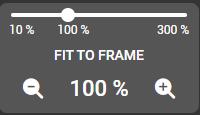
Magnifier to show the whole design
PTP Packet TTL Configuration
Release notes 1.7, 1.7.1 and 1.7.2
Required Upgrade Path!
To ensure a smooth transition and data consistency, this update follows a sequential upgrade path.
If you are currently running version 1.5.x, please update to 1.6.x before proceeding to 1.7.0. The 1.6.x firmware is readily available in our Archive.
We recommend performing a configuration backup before starting the update process.
Main features:
Power logging graphs for AMP4 and 4LS
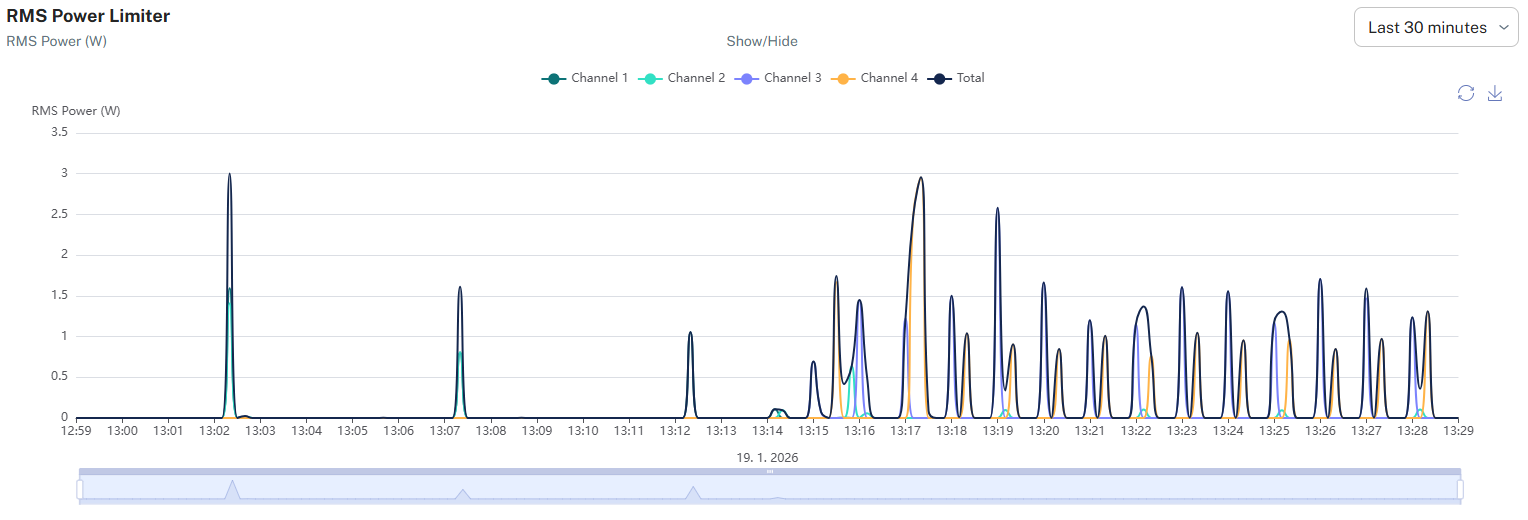
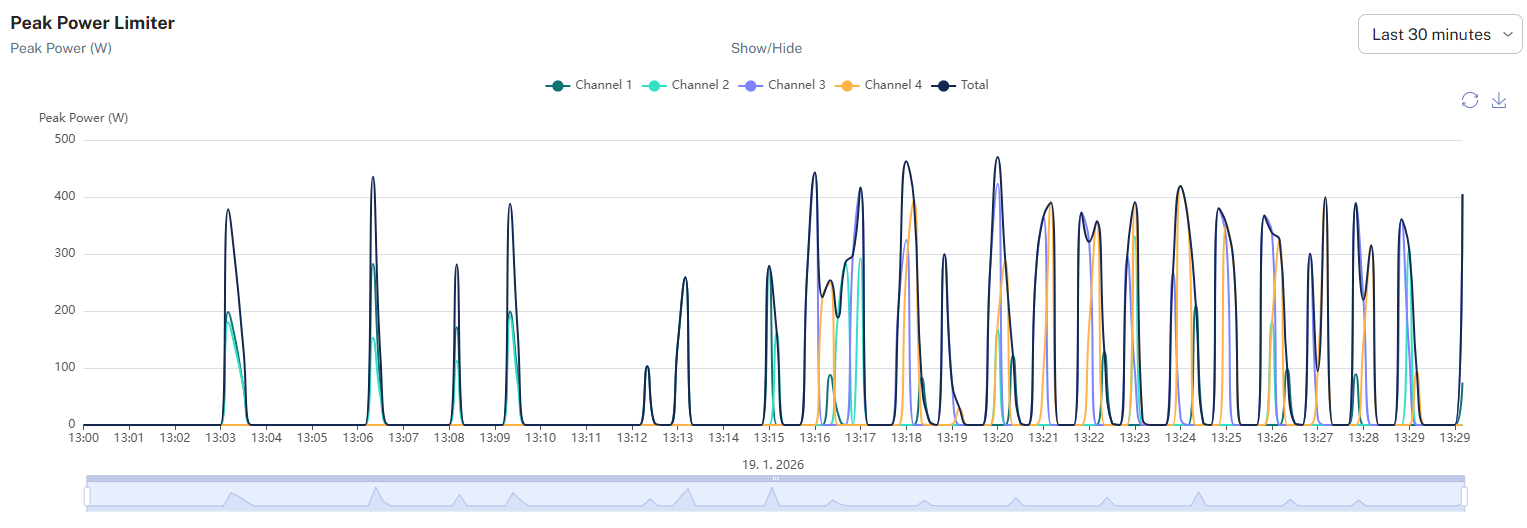
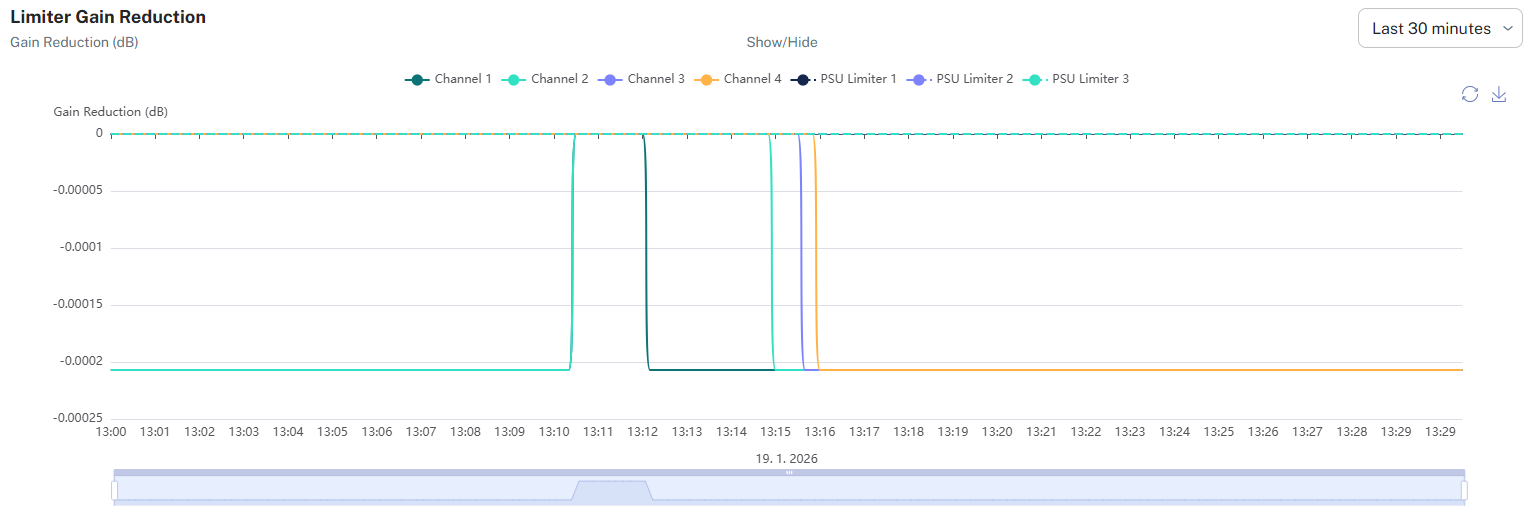
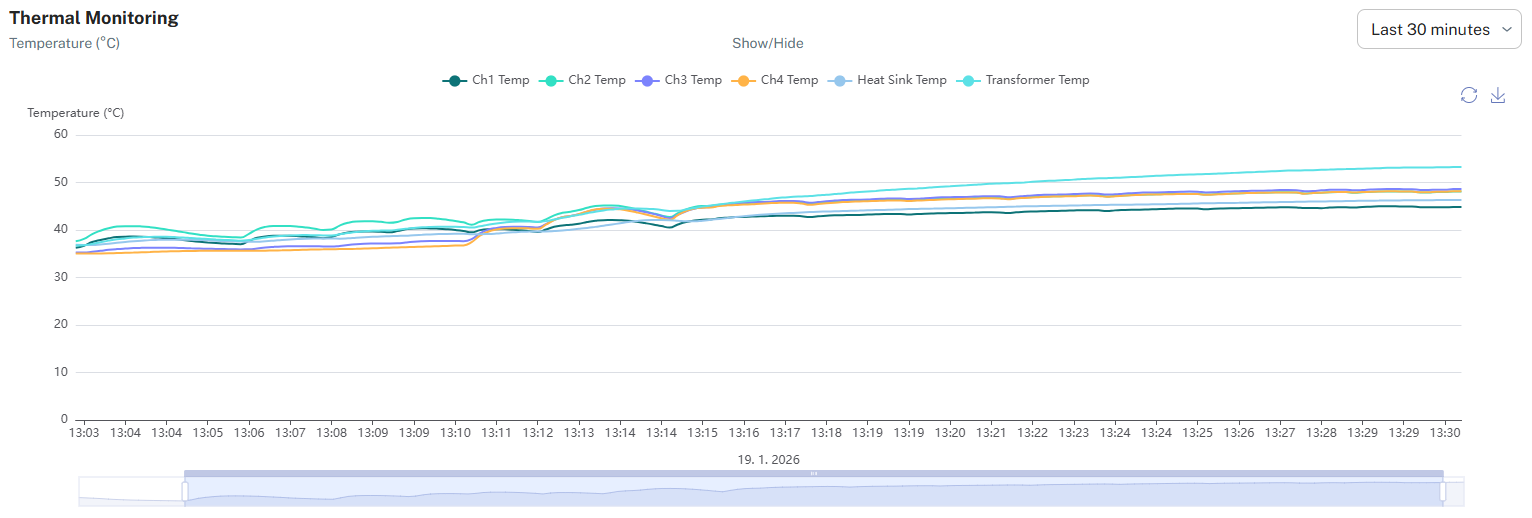
We have added a new tab with four power logging graphs to show performance for ampnode4 or 4LS.
- RMS Power Limiter: Monitors continuous power load per channel and total system output.
- Peak Power Limiter: Visualizes maximum power transients and dynamic peaks.
- Limiter Gain Reduction: Logs protection activity and attenuation depth (dB) for channels and PSU.
- Thermal Monitoring: Tracks component temperatures over time to analyze thermal stability.
Stand by mode for AMP4 unused channels
Standby mode for unused AMP4 channels improves power efficiency and reduces device temperature by placing inactive components into deep standby.
Device external control notification
nnounce alerts you when a device is managed by Simpleway CX or Q-SYS and local changes are overridden.
This means that a device connected to the Simpleway CX ecosystem or Q-SYS is configured and managed by that system, see tutorial.
When you open the nnounce configuration UI, you will be notified that the device is managed by another system, and any changes made in nnounce will be overridden.

DSP Designer improvements
a. The auto-scroll feature is activated when the user drags a connection toward the edge of the visible workspace. The view scrolls in the direction of the cursor, allowing connections to be created between visible and off-screen components.
b. Signal names
Labels can be added to connectros, same name for connectors connects them without the need to draw a connecting line.
c. Magnifier element
Slider to adjust zoom
Fit to frame - adjust view size to available components
Magnifier glasses - decreases or increates the zoom
Value in persentage - shows current zoom. By clicking on the number it resets to 100%
More information in tutorial Design Editor - DSP Configuration
PTP Packet TTL Configuration
Release notes 1.7 and 1.7.1, 1.7.2:
Issue Type | Issue Key | Summary |
|---|---|---|
New Feature | HW-1749 | Time-to-Live functionality in PTP tab |
New Feature | HW-1167 | Podman removed |
New Feature | HW-1616 | Rust libraries update / security library updates |
New Feature | HW-1598 | Analog channels mute when not in use (AMP4) VAUX ON |
New Feature | HW-1581 | Stand-by mode for AMP4 |
New Feature | HW-1573 | WSS set as default |
New Feature | HW-1557 | Device external control then pop-up in UI visible |
New Feature | HW-1539 | DSP Designer - Router default volume is set to 0 dBFS |
New Feature | HW-1276 | Power logging graphs for AMP4 and 4LS |
New Feature | HW-686 | micnode 2 - show better information about external web app |
New Feature | HW-1657 | Fan management for AMP4 improved |
New Feature | HW-1390 | Optimize boot startup |
New Feature | HW-1245 | Screen status in scripting |
New Feature | HW-1121 | DSP Designer components should have prefilled names |
Feature Improvement | HW-1224 | DSP Designer components auto-scroll view when dragging connection off-screen |
Feature Improvement | HW-1612 | Rename DHCP lease button on Interface tab |
Feature Improvement | HW-1559 | DSP Designer - connections by labels - Signal Names |
Feature Improvement | HW-1057 | Dashboard - add memory usage to nnounce dashboard (as in Q-Sys plugin) |
Feature Improvement | HW-1336 | DSP Designer - Magnifier to show the whole design |
DEV BUG | HW-1654 | nnounce - some data are deleted after FW update |
DEV BUG | HW-1586 | nnounce designer - changes in design are visible even though they are not saved |
DEV BUG | HW-1570 | nnounce design editor - connecting lines remain after deleting component |
Additional 1.7.1 Bug fixes:
Resolved an issue that allowed single-instance components to be added to the design more than once.
Resolved an issue when a zone remained busy after a failed live call
Resolved an issue when clicking on "Reset Network Interface" shows error 500
Resolved an issue when logs were empty when NTP is not synced
Additional 1.7.2 Bug fixes:
Resolved an issue where RTP streams gradually accumulated delay over time that previously cleared only after a device reboot.