Overview of features deriving from the firmware upgrade from version 1.7 to version 2.0.
Features:
Technological changes
Spectrum analyzer component
Live view of microphone station screen micnode 2h and 2g
Action buttons for microphone stations micnode 2h and 2g
Power logging on/off toggle
Audio stream reliability improvements
Scripts:
Paging Router – call state monitoring in scripts
Scripting API improvements
Release notes 2.0
Main features:
Technological changes
nnounce 2.0 introduces a major architectural shift to distributed paging, moving core routing, audio streaming, and processing from a central appliance to independent execution on each device. This release delivers the underlying technology change; corresponding front-end updates will follow in an upcoming release.
Spectrum analyzer in DSP designer
The spectrum analyzer is a new component that, once connected to an audio source (microphone, sine generator, etc.), shows its live frequency spectrum in the DSP Designer — with configurable FFT length, window type, overlap, averaging, and linear/log frequency axis.
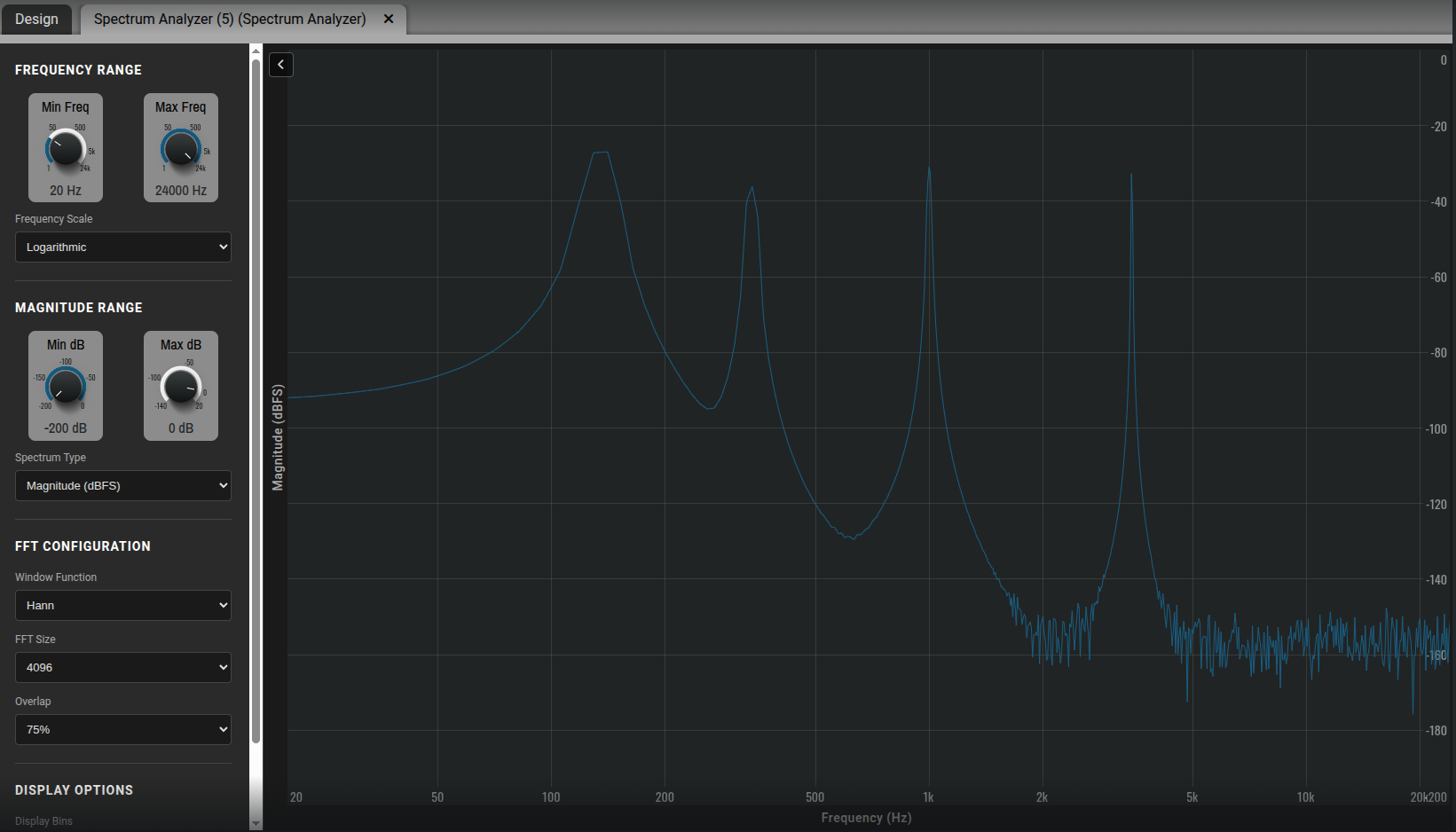
See our tutorial Spectrum analyzer
3.Live view of microphone station screen
The new live view feature lets you see what's on the microphone station's display without physical access. This makes it easy to verify that the configured application is reachable and rendering correctly, with a live view option for real-time monitoring.
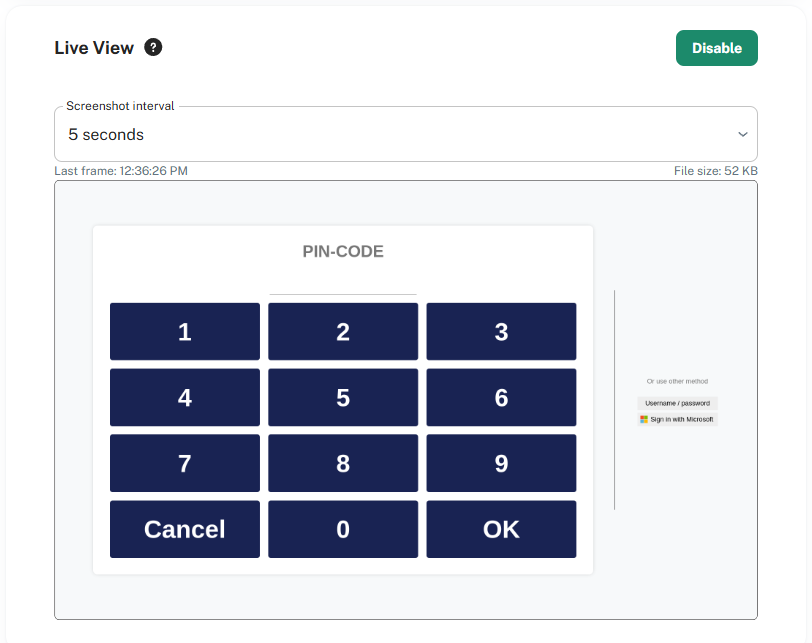
See tutorial Device Interface for micnode2h&g
4.Action buttons for microphone stations micnode 2h and 2g
Added support for action buttons on the micnode2h and micnode2g stations. Each action button can be configured to operate in one of three modes:
Toggle — the first press activates the action and the second press deactivates it, for example switching background music on and off.
Trigger — a single press fires the action once, for example opening a door.
Momentary — the action stays active only while the button is held, for example raising or lowering volume.
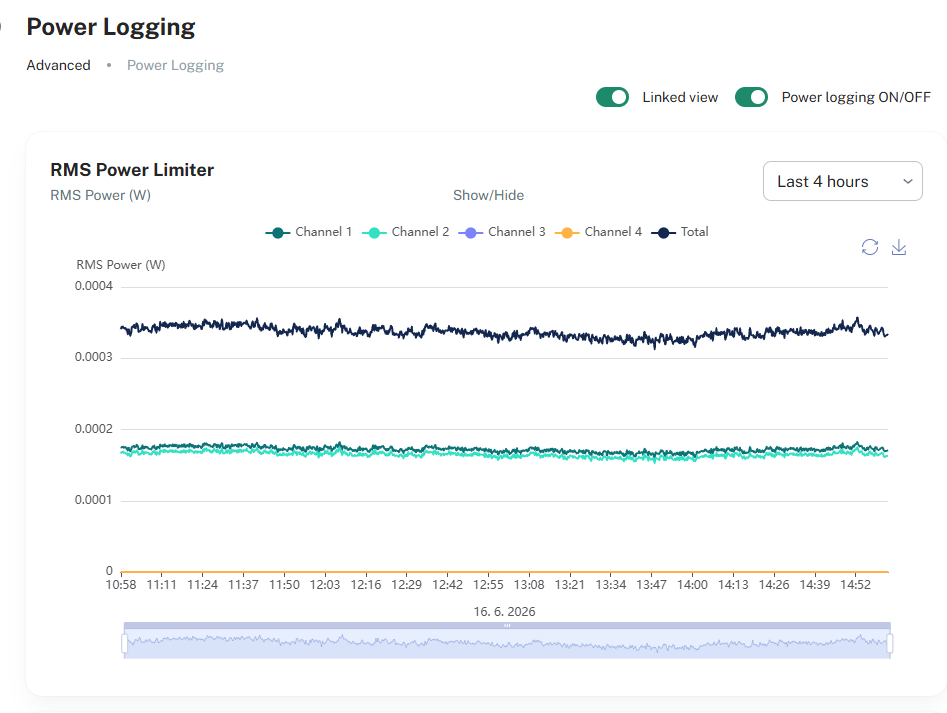
5.Power logging on/off toggle
A new toggle was added which enables you to switch on and off the collection of power logging data.

6. Audio streams
Audio Streams: a unicast TX stream must be bound to a specific interface (LAN A or LAN B) — the BOTH option is no longer allowed.
7.Scripting
Paging Router – call state monitoring in scripts
Scripts can now react in real time to paging call state changes – both for calls originated on a device and calls playing on its outputs.
Scripting API:
Improved the scripting API. Scripts can hook into runtime change events and trigger actions in response.
Release notes 2.0:
Issue Type | Issue Key | Summary |
New Feature | HW-1020 | Audio Streams: improved quality and reliability |
New Feature | HW-1532 | Amplifiers: improved channel sleep efficiency, reduce power consumption |
New Feature | HW-1571 | micnode2h/g: added support for action buttons |
New Feature | HW-1776 | mini6: SVG graphics support on the display |
New Feature | HW-1794 | Audio Stream Statistics: redesigned for easier reading |
New Feature | HW-1894 | Boot screen: added a logo splash image |
New Feature | HW-366 | micnode2: capture and show the screen image in the UI |
New Feature | HW-837 | Spectrum analyser component |
Feature Improvement | HW-1641 | Power logging: added an option to turn off data collection |
Feature Improvement | HW-1693 | Audio streams: added the ability to reset all statistics |
Feature Improvement | HW-1746 | nnounce UI: faster boot time |
Feature Improvement | HW-1756 | Audio stream UI: added TX unicast validation |
Feature Improvement | HW-1947 | Scripts: enlarged the snippet dialog so the full snippet is visible |
Feature Improvement | HW-1949 | nnounce 2.0: updated underlying libraries |
Feature Improvement | HW-1948 | Paging router - call state monitoring in scripts |
Feature Improvmenets | HW-1962 | Improved scripting API router events. |
DEV BUG | HW-1755 | Interfaces: fixed an issue where only one port was visible with a link-local address when both LAN A and LAN B were connected |
DEV BUG | HW-1801 | mDNS: fixed reliability issues with device discovery |
DEV BUG | HW-1702 | Device interface: fixed the inability to switch from one external web app to another |
DEV BUG | HW-73 | Designer: fixed adjusted connections not being saved when deploying a design |
DEV BUG | HW-926 | micnode: fixed the identify cancel button not working over UCI |
DEV BUG | HW-1457 | Designer: fixed display problems in the outputs view |
DEV BUG | HW-1704 | Device control: fixed an issue where enabling "Require Secure Connection (WSS)" did not disconnect the device from the plugin |
DEV BUG | HW-1725 | Designer: fixed live paging not working when an input and output share the same name in the router |
DEV BUG | HW-1798 | Device interface: fixed autologin not being set when no user is logged in |
DEV BUG | HW-74 | Designer: fixed inconsistent mouse behavior |