Description
On the nnounce Ecosystem tab you can easily connect your device to the Simpleway Customer CX platform - Airport CX, Enterprise CX or Transit CX.
Tip!
By pairing your device, you can manage your nnounce devices also from the Customer CX solution, Audio devices tab.
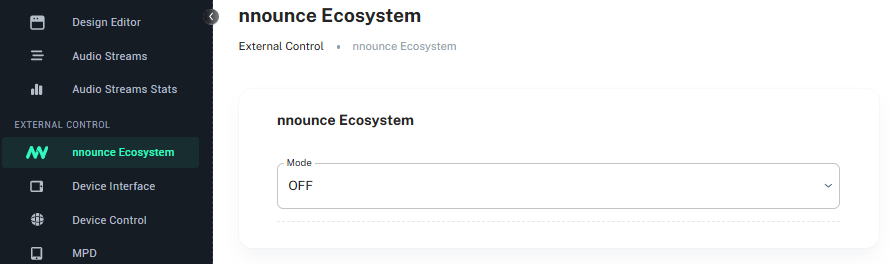
Choose from the Modes:
A. Cloud - when your Customer CX installation is in the cloud.
B. On premise - you have the Customer CX installation in house on your own servers.
C. OFF - you need to switch off the connection.
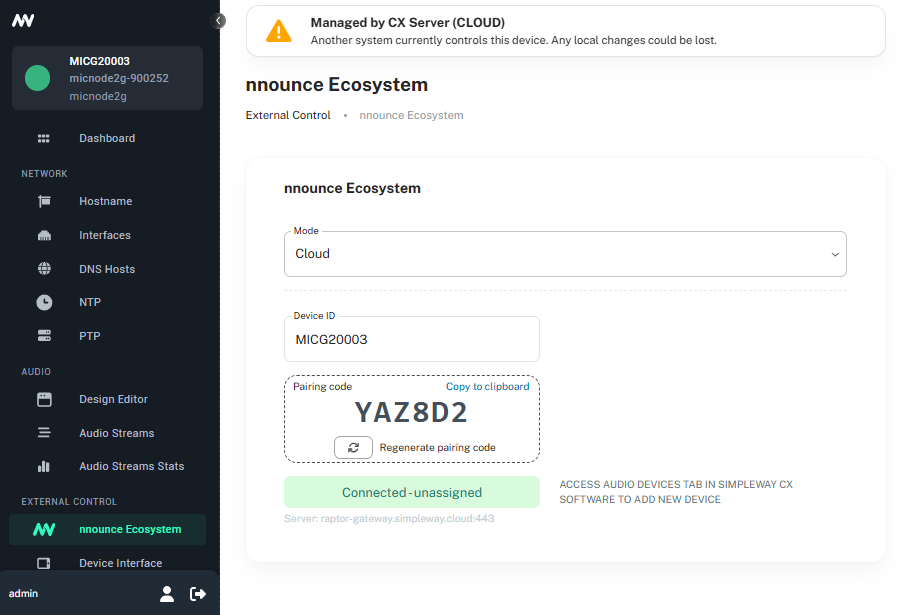
Cloud mode
Once you save the Cloud mode an information message appears in the header that your device is managed from the Cloud.
Device ID field is numbering your device, you can edit the predefined value.
Pairing code is needed once you start to pair your device in the Customer CX installation.
From here on follow the Customer CX tutorial to pair and configure your nnounce device.
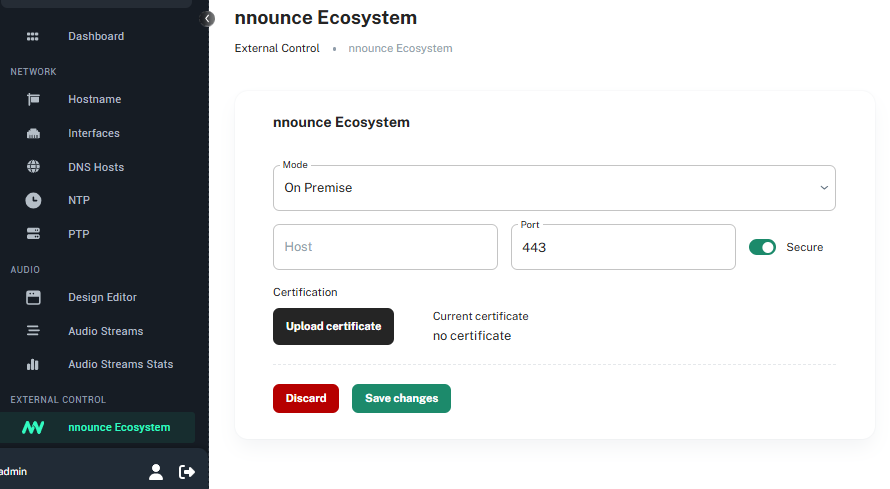
On premise mode
Host and Port -of your on premise environment
Tip!
This integration process is supported for nnounce devices - ionode4, ampnode4 and the micnode2 series microphone stations.