A Trip / Flight Window is the tool that decides which flight records a screen cares about, when a flight appears, and when it clears. It's not only the classic roll-on / roll-off rule — it does more than that.
Filtering a window
A Window is a filtered, sorted view over the flight feed. Point a screen at a Window and it shows the record — or records — that pass the filter, in the order the Window sorts them. Change the filter and you change both what appears and how long it stays.
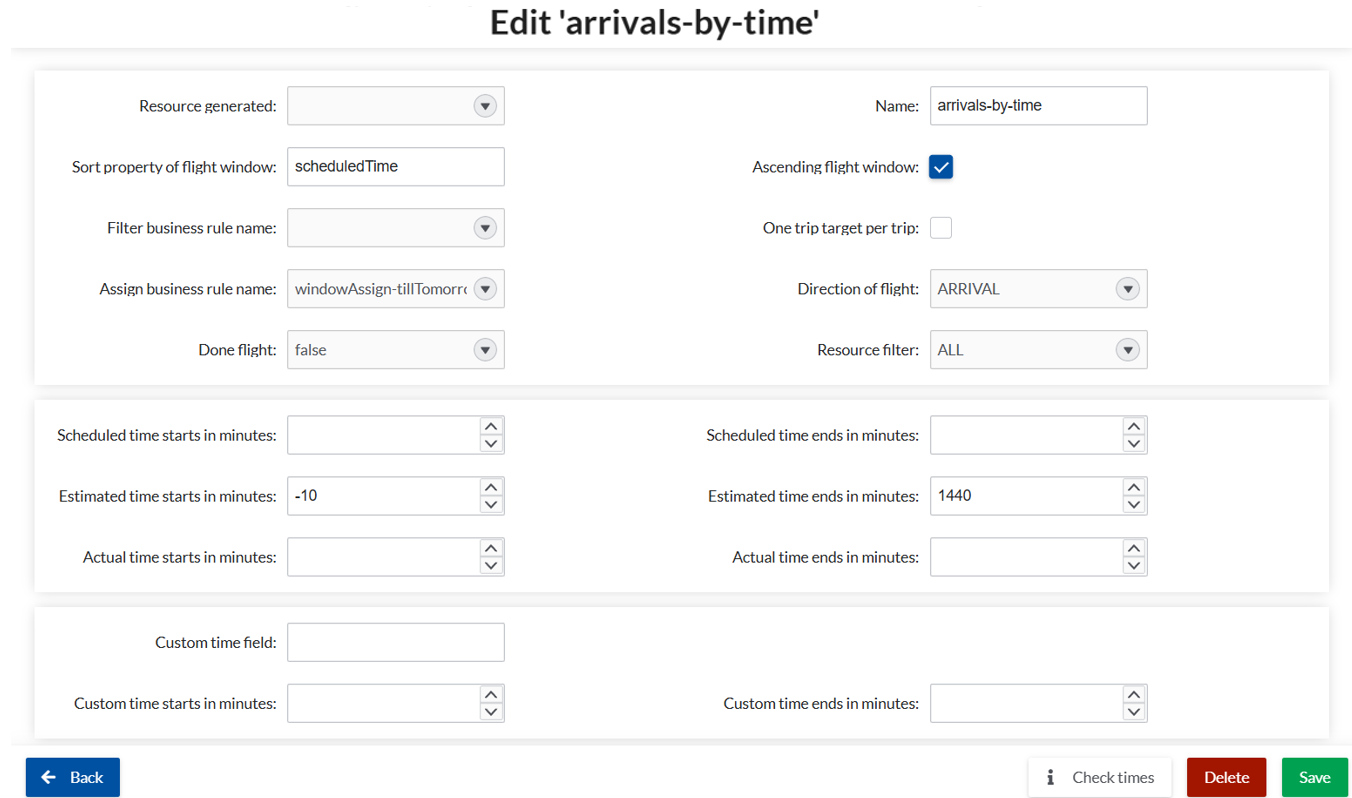
Which flights it picks. The core selectors decide which records qualify: direction (arrivals or departures), resource filter (all, or a specific gate or belt), and whether completed flights are included. For anything the standard fields can't express, an optional business rule — a small JavaScript filter — refines the set further (see below).
When they roll on and off. Timing is set as offsets around a flight's scheduled, estimated, or actual time, so a flight appears on screen a while before it's relevant and clears once it's done. This is the roll-on / roll-off behavior, and it's all configured in minutes.
You can also set how the result is sorted, which controls the order records appear in a FIDS list.
One record or a whole list — the same engine
The same mechanism works whether a screen shows one flight or many. A gate screen uses a Window that yields a single record. A FIDS board uses a Window that yields — and sorts — many rows. Same tool, different output.
Boosting a Window with business rules
The standard fields handle most filtering. When you need logic they can't express, you can extend a window with a business rule — a small piece of JavaScript that decides which records pass.
Business rules are a powerful feature that reaches across many parts of Airport CX. This chapter stays focused on one use for them: sharpening what a Trip / Flight Window shows. You define a business rule on its own tab, then assign it to the window by name through the business-rule field in the window configuration. The window then filters on conditions beyond the standard settings, while the rule stays reusable elsewhere.
