The previous tutorial covered how a template switches between whole layouts. This one goes one level finer: how a single element/component on a layout can react to data on its own.
A template is a collection of elements
Every design in the Designer is built from elements — labels, boxes, images, lists. Most elements simply sit where you place them, and many of them display a value from your data.
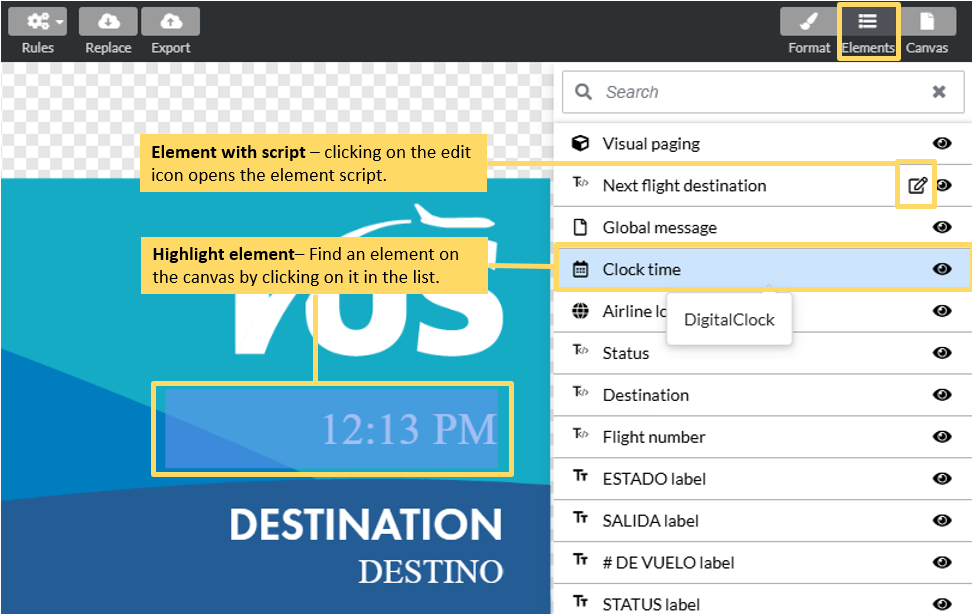
Binding an element to data
An element becomes "live" when you bind it to a data source. When you drop a data-driven component onto a design, you choose which source feeds it, and from then on it re-reads that source on every refresh.
There are three kinds of source to bind to:
Trip / Flight Windows — a filtered view over the flight feed. The flight context is set once for the whole template;
Third-party integrations — any external system surfaced as data: weather, baggage handling, messaging;
Display configuration & metadata — per-display custom fields and system-wide values.
Element scripts — small, conditional adjustments
Displaying a value is often all you need. But sometimes you want an element to react — to change how it looks depending on the data — without switching the whole layout to a new state. That's what an element script does. It's pinned to a single component and adjusts just that component, right before it renders.
Example — highlight a cancelled flight:
The most common use is conditional formatting. Say you want a cancelled flight to stand out in red. An element script on the row's background reads the flight status, and if it's CANCELLED, sets the background to red. Every other row renders normally.

This is the key distinction from the previous tutorial. Same state, same layout — one element reacts. A state script would switch the entire screen to a different design; an element script recolors one box and leaves the rest untouched. Knowing which one to reach for is the practical skill: reach for a state when the whole layout should change, and an element script when only one component should.