What it is
Speech-to-Text turns a single spoken announcement into a multilingual, multi-channel paging event.
When you make a live call from a paging microphone, Airport CX transcribes it, translates it into your configured languages, and pushes the result back out as spoken announcements (text-to-speech) and visual paging on your displays.
The full event is kept together in the paging archive, so you can review, replay, and manage everything from one place.
How it works
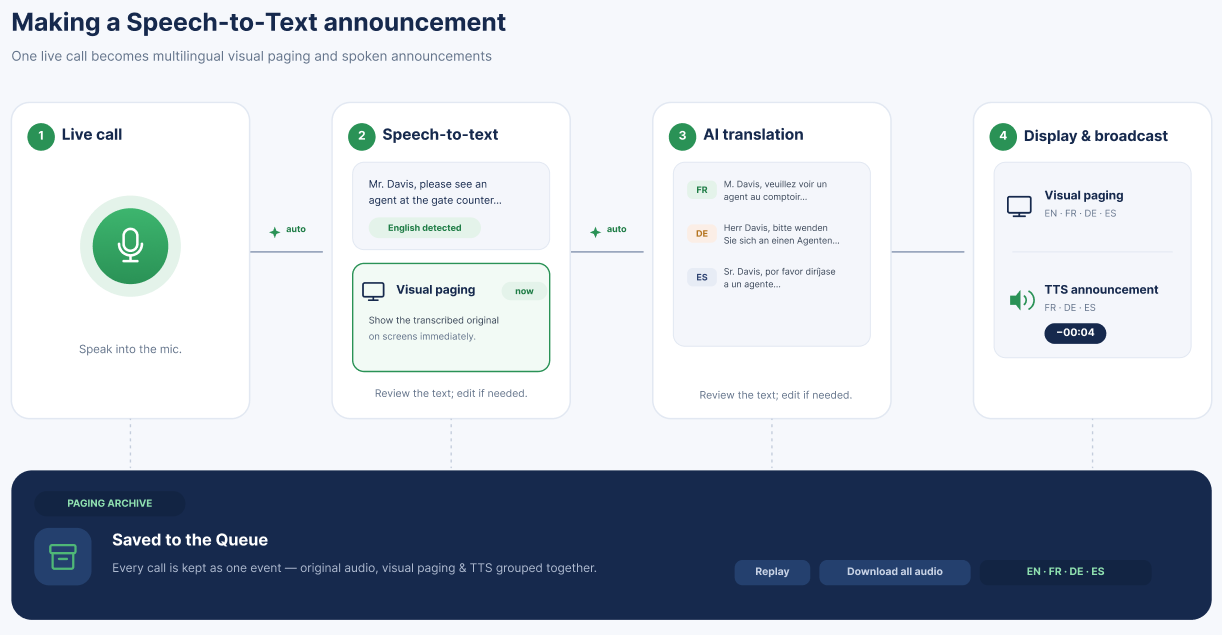
Live call — You speak an announcement from a paging microphone.
Transcript — Airport CX records the audio and generates a text transcription (speech-to-text).
Translation — If more than one language is configured, translations are produced automatically.
Display — The original transcript and its translations can be shown as visual paging on your displays.
Announcement — Translations can be generated as spoken announcements (text-to-speech).
Paging archive - The full event is grouped and stored in the Queue.
TUTORIAL STEPS:
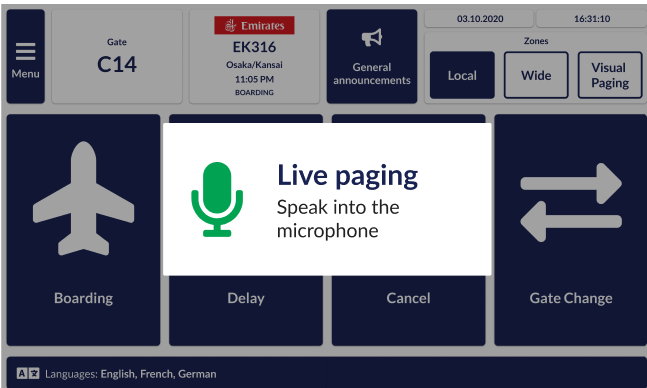
A) Live call from the microphone station Use the hardware button on your microphone station or the live-call button in your paging UI such as GateUI. |
|
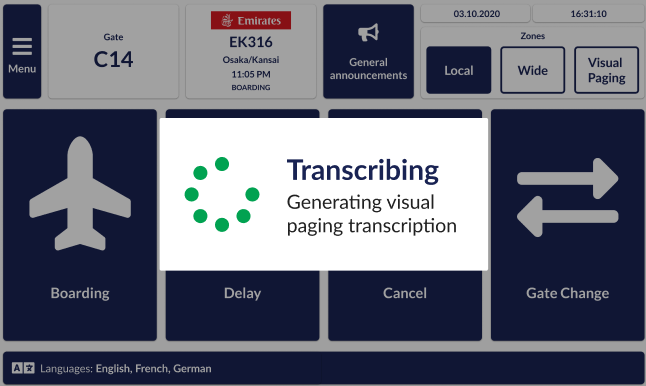
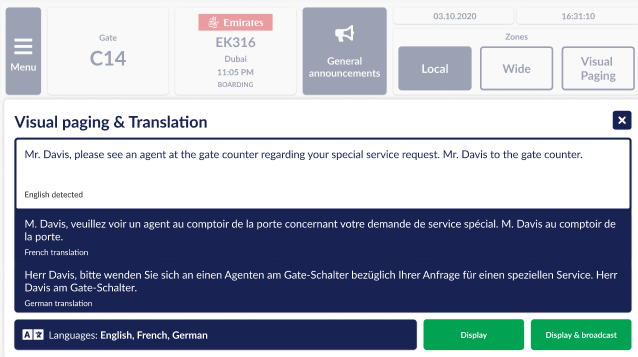
B) Live call transcription Generating speech-to-text for further visual paging and translation purposes. | |
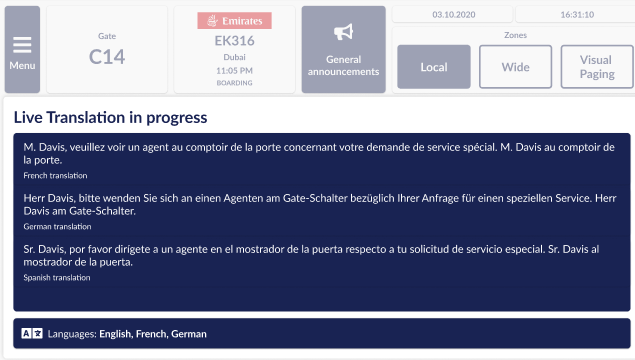
C) Translations with the option to edit them |
|
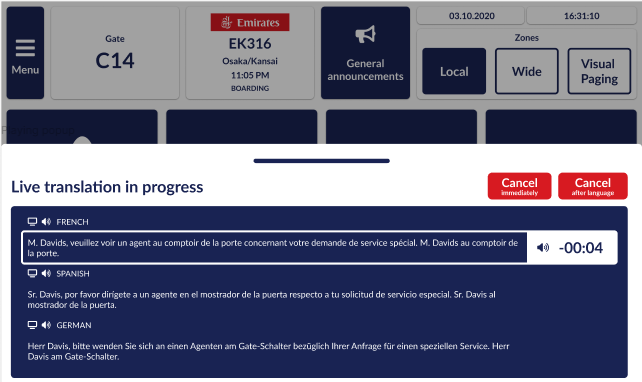
D) Deploy visual paging and broadcast the translations: - Select Display to push visual paging to the displays in the selected zones, across all selected languages. - Generate audio to play the translated announcements as text-to-speech. |
|
E) Translations of the original live call are paged as text-to-speech announcements |
|
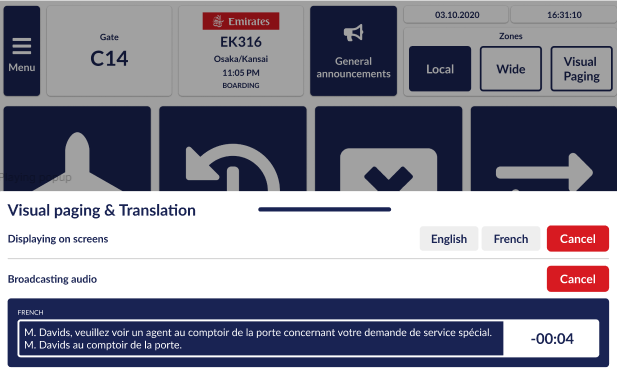
F) Visual paging triggering of the translations |
|
Each Speech-to-Text event appears in the Queue as a single parent item that summarizes its related child items (audio, transcribed visual paging, and text-to-speech). The parent item shows the combined state, zones, and languages. The paging archive provides evidence of live calls with available transcripts and is searchable when evidence of paged live calls is needed. | |
Requirement
Internet access is required. Transcription and translation run through a cloud AI service. The feature is enabled by default but can be hidden or disabled for offline installations or specific customers.